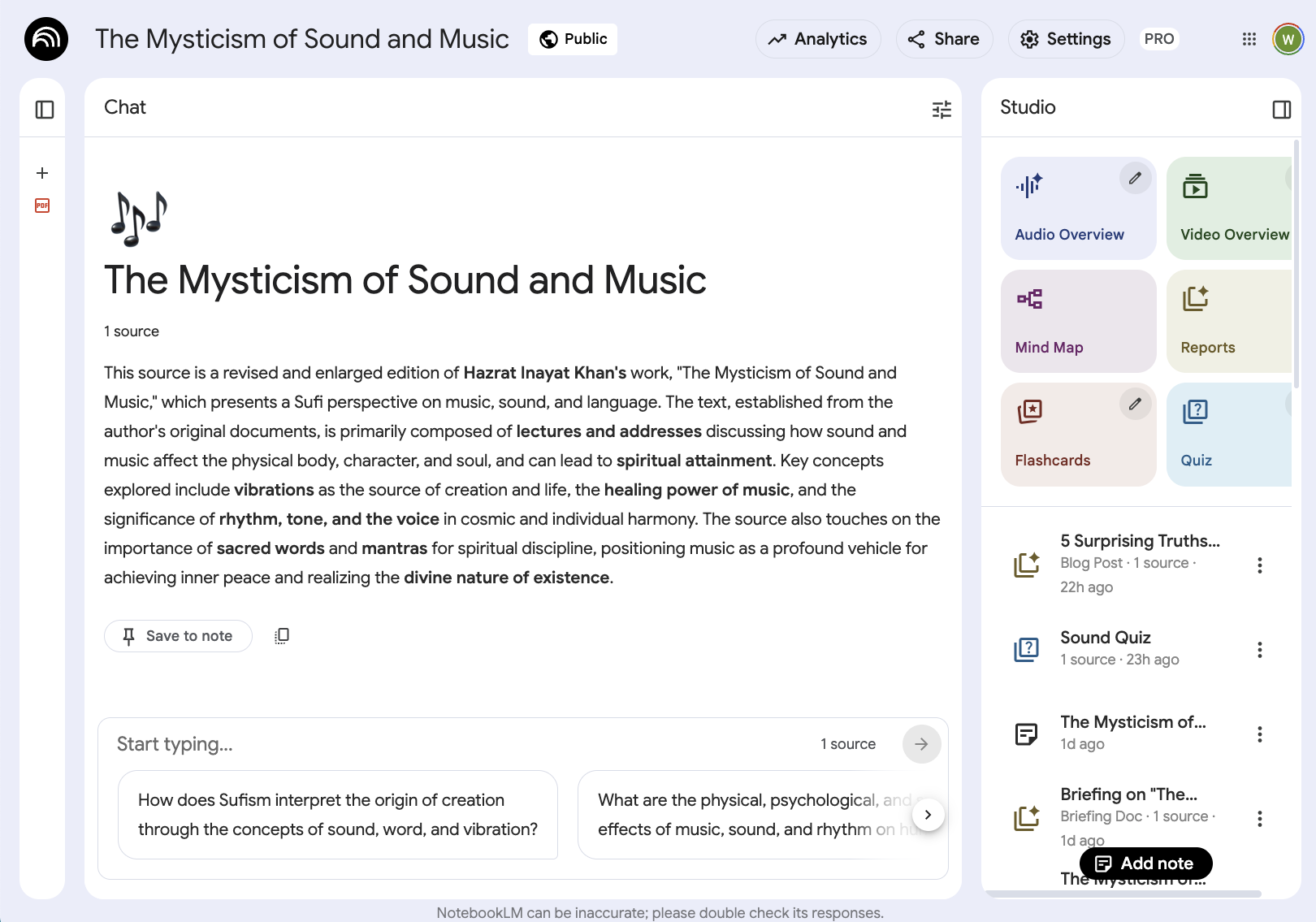
Login credentials are needed to see the view of the app illustrated by the screenshot displayed here.
New content is generated by selecting one of the colored buttons at top.
Below on the same screen is listed the instances of generated content already created.
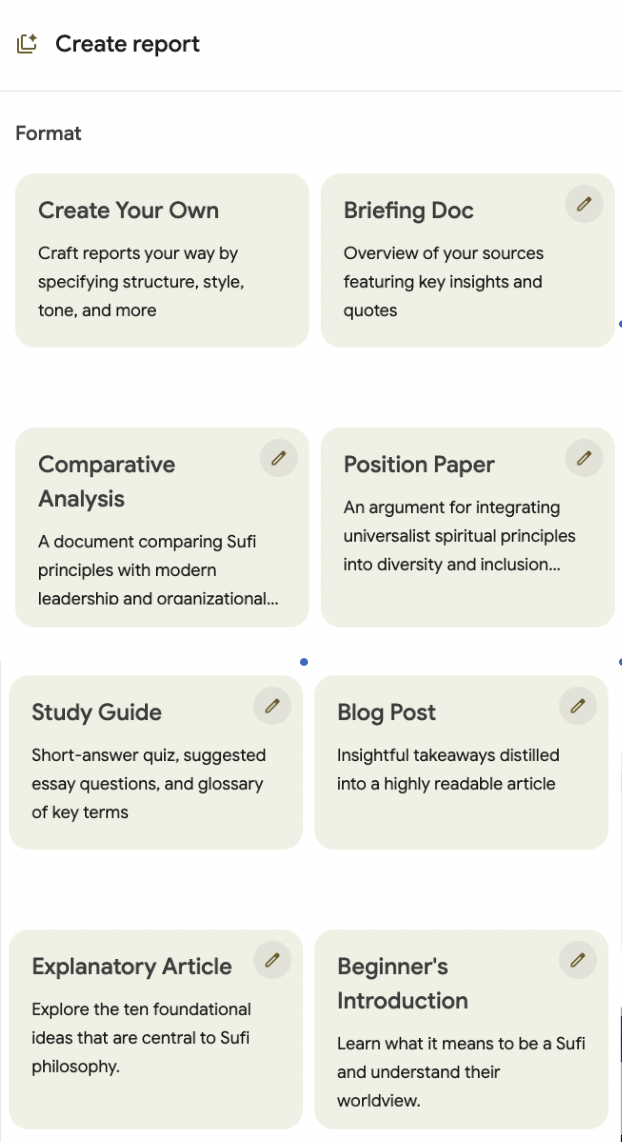
The colored Reports button (above) exposes an additional level of functionality, in many cases the most important:
Unlike traditional apps, the list of output types is not fixed, custom content types can be created simply by using a different Prompt. Notebook LM will also create Report types some which are specific to the topic at hand, such as with “Beginner’s Introduction” at bottom.